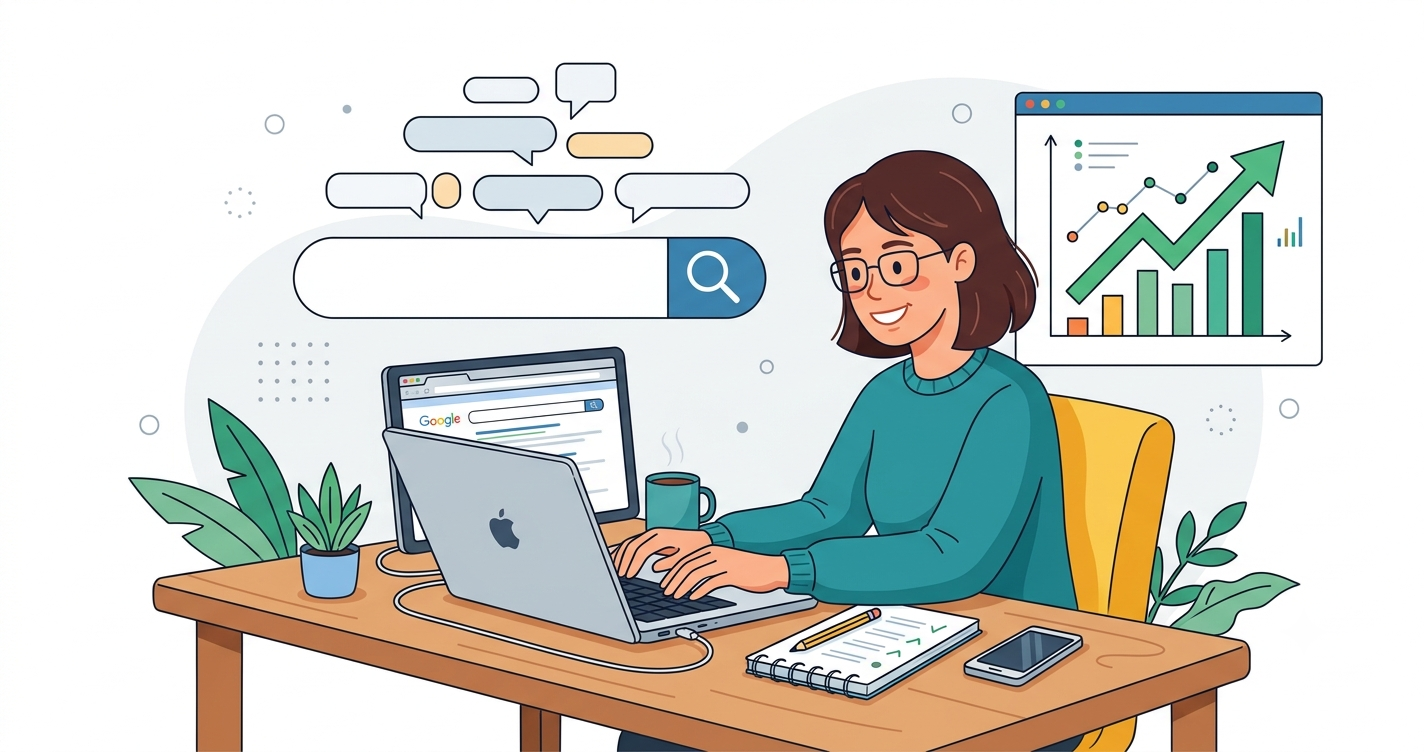
SEO for Beginners: How to Create Articles That People Truly Search for is among the most valuable abilities a new website owner can acquire. Effective SEO goes beyond merely inserting keywords into a webpage; it involves grasping what people are looking for, addressing that need succinctly, and ensuring your content is accessible to both users and search engines. Google defines SEO as aiding search engines in comprehending your content and assisting users in discovering and determining if they should visit your site.
This guide to SEO for Beginners: How to Write Articles People Actually Search for will show you a simple, repeatable process: find a real search topic, understand the searcher’s intent, plan the article, write it well, optimise it for WordPress, and improve it after publishing.
The Importance of SEO for Beginners
Numerous newcomers write articles solely based on their own thoughts. That might be effective, but it frequently results in content that no one looks for. SEO for Beginners: How to Write Articles People Really Search For Begins by Asking a Distinct Question: What issue is my audience attempting to resolve?
For example, instead of writing a vague post titled “My Fitness Tips”, you could write “How to Start a Home Workout Routine for Beginners”. The second title addresses a clearer need, provides useful context, and is more likely to attract readers seeking practical help.
Google emphasises that helpful, reliable content is created primarily for people rather than to manipulate rankings. That means your first goal should be usefulness; SEO is the system that helps the right people discover that usefulness.
Start with search intent.
Search intent is the reason behind a search. Before writing, ask what the reader wants to do when they type a query into Google.
There are four common types of intent:
- Informational: The reader wants to learn something, such as “What is SEO.”
- Navigational: The reader wants to reach a specific website or brand.
- Transactional: The reader wants to buy, sign up, download, or compare options.
- Commercial investigation: The reader is researching before making a decision, such as “best budget laptops for students”.
For SEO for Beginners: How to Write Articles People Actually Search for, most beginner-friendly articles should focus on informational or how-to intent. Your article should answer the reader’s question early, then provide enough detail to make the answer genuinely useful.
Find Topics People Search For
A strong article begins with a topic that has real demand. You do not need expensive tools when you are starting. Start by observing the language your audience uses in comments, emails, social media, forums, and competitor articles.
Useful sources of article ideas include:
- Google autocomplete suggestions.
- “People also ask” questions in search results.
- Related searches at the bottom of a search page.
- Questions from your audience or customers.
- Google Trends for broad interest patterns.
- Your own website analytics, once you have traffic.
For example, if you run a gardening website, you may notice people asking, “How often should I water tomato plants?” That is a more useful article idea than simply writing “Tomato Care”. It targets a specific question and gives you a clear structure.
Google recommends thinking about the words people may use to find your content and using Search Console to monitor performance and optimise pages. Once your site has data, Search Console can show which queries bring visitors to your pages, helping you create more articles around proven interests.
Choose One Primary Keyword
A primary keyword is the main phrase you want an article to rank for. It should be specific enough to describe the article and broad enough that people actually search for it.
For this article, the primary keyword is:
SEO for Beginners: How to Write Articles People Actually Search For
Use the phrase naturally in the following places:
- The article title.
- The SEO title in WordPress.
- The URL slug.
- The first 100 words.
- At least one H2 heading.
- The meta description.
- Image alt text where it fits naturally.
- The conclusion.
Avoid repeating the keyword awkwardly. Google warns against unnecessary, repeated keyword use that does not add value, and AdSense guidance similarly discourages keyword-stuffed pages. Instead, use related phrases such as “beginner SEO tips”, “how to write SEO articles”, “search intent”, “keyword research”, and “WordPress SEO”.
Create a Clear Article Outline
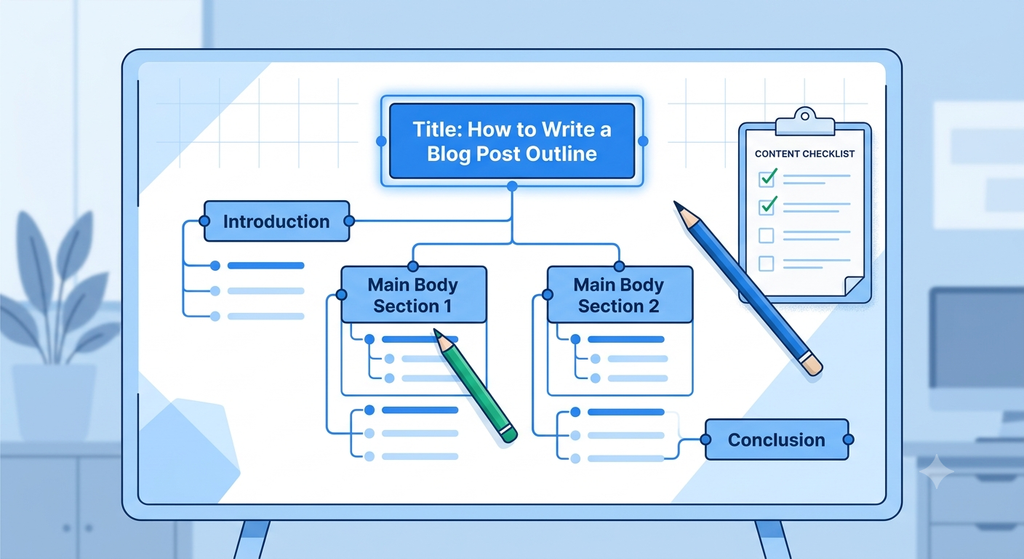
A good outline prevents your article from becoming confusing or incomplete. Before writing, list the questions a beginner would need answered.
For SEO for Beginners: How to Write Articles People Actually Search for, a practical outline could be:
- What SEO means for beginners.
- How to find topics people search for?
- How to understand search intent?
- How to choose a primary keyword?
- How to write a helpful introduction?
- How to structure an article with headings?
- How to optimise a WordPress post?
- How to improve images and internal links?
- How to update and measure performance.
This structure helps readers scan the article, find the section they need, and understand the topic step by step. Google specifically recommends easy-to-read, well-organised content with headings that help users navigate a page.
Write an Introduction That Earns Attention
Your introduction should confirm that the reader is in the right place. State the problem, promise a practical solution, and briefly explain what the article covers.
A strong introduction for an SEO article might look like this:
If you are new to blogging, learning SEO for Beginners: How to Write Articles People Actually Search For Can Feel Overwhelming. The good news is that you do not need to be an expert to create content that ranks. You need to understand your reader, choose useful topics, and organise your article clearly.
Keep the introduction short. Readers should understand the purpose of the article within the first few seconds.
Use Headings That Help Readers
Headings are not just visual decorations. They create a roadmap for your article and help search engines understand its structure.
Use one H1 heading for the article title, then use H2 headings for major sections and H3 headings for supporting points. In WordPress, this is usually available in the block editor under “Heading”.
For example:
- H1: SEO for Beginners: How to Write Articles People Actually Search For
- H2: Start with Search Intent
- H2: Find Topics People Search For
- H2: Choose One Primary Keyword
- H2: Optimise Your WordPress Post
- H2: Improve Images and Internal Links
Do not use headings only to insert keywords. Make each heading genuinely descriptive. A reader should be able to scan the headings and understand the main message of the article.
Write for People, Not Algorithms.
The most important rule in SEO for Beginners: How to Write Articles People Actually Search For simplicity’s sake, write for people first. Google states that its ranking systems prioritise helpful, reliable information created to benefit people, not content made mainly to manipulate rankings.
Use these writing practices:
- Answer the main question early.
- Use short paragraphs and simple sentences.
- Explain technical terms in plain language.
- Include examples, checklists, and practical steps.
- Add original insight, experience, or a unique perspective.
- Avoid copying or lightly rewriting other websites.
- Keep the article focused on one main topic.
Originality matters for both search visibility and AdSense approval. Google says publishers should provide unique, valuable content and a good user experience and warns against scraped, duplicated, or low-value content.
Optimise Your WordPress Post
WordPress makes SEO easier when you use its basic settings correctly. After writing your article, complete these steps before publishing.
Set an SEO Title
Your SEO title should include the main keyword and clearly describe the article. For example:
SEO for Beginners: How to Write Articles People Actually Search For
Keep it readable and avoid exaggerated claims. The title should match what the page actually delivers.
Create a clean URL slug.
A clean slug is short, readable, and relevant. For this article, use:
SEO for beginners – write articles – people search for
Avoid long URLs filled with dates, random numbers, or unnecessary words.
Write a meta description.
The meta description does not guarantee a ranking position, but it can influence whether someone clicks your result. Write one or two sentences that summarise the benefit of reading the article.
Example:
Learn SEO for beginners with a simple process to find topics, understand search intent, write helpful articles, and optimise WordPress posts for readers and search engines.
Use Categories and Tags Wisely
Assign one relevant category, such as “SEO” or “Blogging Tips”. Use a few accurate tags only if they genuinely help organise your content. Do not create dozens of overlapping tags, because that can create thin or duplicate-looking archive pages.
Improve Images and Internal Links
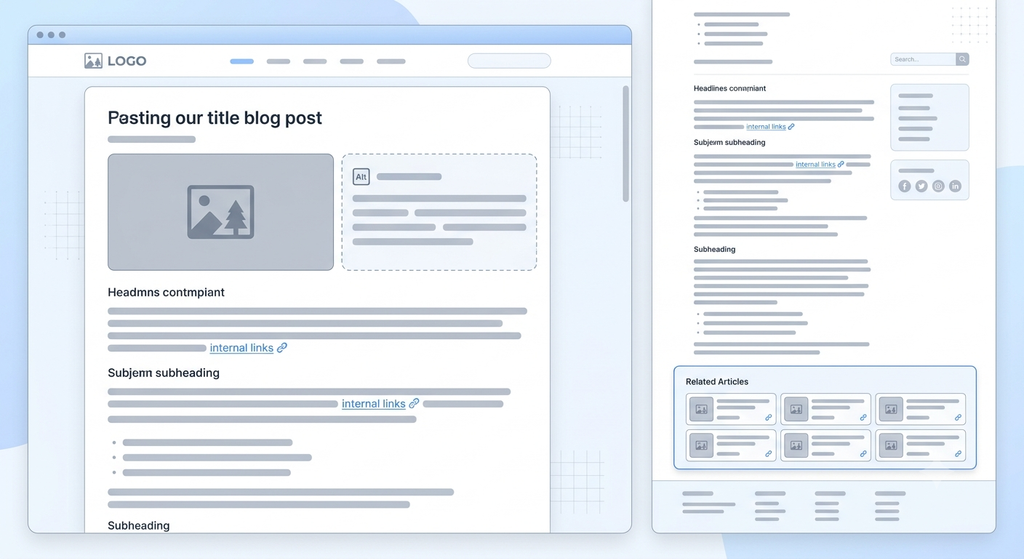
Images make articles easier to understand, but they should support the content rather than slow down the page. Google recommends using high-quality images near relevant text and adding descriptive alt text so users and search engines can understand the image.
For every image, do the following:
- Use a descriptive filename, such as seo-beginners-article-outline.jpg.
- Add concise, accurate alt text.
- Compress images before uploading.
- Choose an appropriate size for your theme.
- Avoid using images with large amounts of embedded text.
- Place each image close to the section it illustrates.
Google also explains that alt text helps accessibility and gives search engines context about the image; keyword stuffing in alt text should be avoided.
Internal links are another beginner-friendly SEO improvement. Link related articles using descriptive anchor text. For example, instead of writing “click here,” write “learn more about keyword research for beginners.” Google notes that descriptive anchor text helps both users and search engines understand the linked page.
Follow AdSense-Friendly Content Practices
If you plan to monetize your website with Google AdSense, your article should provide substantial original value. Google says sites should have enough unique content to show what the site is about, give users a reason to visit and return, and avoid duplicate or scraped material.
To keep SEO for Beginners: How to Write Articles People Actually Search For AdSense-friendly:
- Publish complete articles with meaningful paragraphs, not only headlines or images.
- Add original analysis, examples, or personal experience.
- Avoid copying content from other sites.
- Keep ads subordinate to the main content.
- Do not encourage accidental or artificial ad clicks.
- Make navigation clear with menus, categories, and related posts.
- Ensure your site has necessary rights for every image, video, and piece of media you publish.
Google’s publisher guidance also states that advertising and promotional material should not exceed the publisher’s content across the page experience. In practical terms, do not surround a short article with excessive ads, pop-ups, or intrusive elements.
Update Articles After Publishing
SEO is not a one-time task. After publishing, check how the article performs in Google Search Console, review the queries that bring visitors, and update the content when information changes.
You can improve an existing article by:
- Adding answers to new questions readers ask.
- Updating screenshots, examples, or statistics.
- Improving unclear sections.
- Adding relevant internal links.
- Refreshing the title or meta description if needed.
- Removing outdated advice.
Google advises reviewing published content and updating or removing it when it is no longer useful. Regular updates can keep your article accurate and give returning readers a reason to trust your site.
Final Checklist for SEO for Beginners
Before you publish any article, use this simple checklist:
- Does the article answer a real search question?
- Is the search intent clear?
- Is the primary keyword used naturally?
- Does the introduction explain the article’s purpose?
- Are headings clear and descriptive?
- Is the content original and useful?
- Are images relevant, compressed, and properly labeled?
- Are internal links helpful and descriptive?
- Is the WordPress SEO title, URL, and meta description complete?
- Does the page provide more value than ads or promotions?
SEO for Beginners: How to Write Articles People Actually Search For becomes much easier when you stop trying to write for search engines and start writing for the person behind the search. Choose useful topics, answer questions clearly, organize your content well, and keep improving based on real performance. That is the foundation of sustainable SEO.
Google SEO References
- Google Search Central — SEO Starter Guide
https://developers.google.com/search/docs/fundamentals/seo-starter-guide
Official beginner guidance on helping search engines and users understand your content.developers.google - Google Search Central — Creating Helpful, Reliable, People-First Content
https://developers.google.com/search/docs/fundamentals/creating-helpful-content
Explains Google’s people-first approach and why content should be created to help users rather than manipulate rankings. - Google Search Central — Documentation to Improve SEO
https://developers.google.com/search/docs
Main hub for Google’s SEO documentation, including crawling, indexing, content, and Search Console guidance.developers.google - Google Search Central — Image SEO Best Practices
https://developers.google.com/search/docs/appearance/google-images
Covers image discovery, HTML image elements, descriptive alt text, and image-related SEO practices. - Google Search Central — SEO Link Best Practices
https://developers.google.com/search/docs/crawling-indexing/links-crawlable
Explains crawlable links and the importance of descriptive anchor text, including for image links. - Google Search Central — URL Structure Best Practices
https://developers.google.com/search/docs/crawling-indexing/url-structure
Provides recommendations for creating clear, logical, user-friendly URL structures.developers.google - Google Search Central — How Google Search Works / Technical SEO
https://developers.google.com/search/docs/fundamentals/get-started
Covers crawling, indexing, sitemaps, canonical pages, and technical SEO fundamentals.developers.google - Google Search Central — SEO Guide for Web Developers
https://developers.google.com/search/docs/fundamentals/get-started-developers
Developer-focused guidance on making sites work well with Google Search, including accessibility, speed, and mobile usability.developers.google - Google Search Central — Main SEO Resource Page
https://developers.google.com/search
Google’s central resource for SEO documentation, tools, and guidance.support.google
Google AdSense References
- Google AdSense — Program Policies
https://support.google.com/adsense/answer/48182?hl=en
Official AdSense policy page covering content quality, ad placement, invalid traffic, and publisher responsibilities.developers.google - Google AdSense — Content and User Experience
https://support.google.com/adsense/answer/10015918
Explains AdSense’s expectations for unique, valuable content and a good user experience. - Google AdSense — Eligibility Requirements
https://support.google.com/adsense/answer/9724?hl=en
Covers the requirement for high-quality, original content that attracts an audience. - Google AdSense — Why an Account Wasn’t Approved
https://support.google.com/adsense/answer/81904?hl=en
Explains common approval issues, including insufficient high-quality content and policy compliance. - Google AdSense — Policies: A Beginner’s Guide
https://support.google.com/adsense/answer/23921?hl=en
A beginner-friendly overview of AdSense content and policy requirements. - Google Transparency Center — AdSense Policies and Guidelines
https://transparency.google/intl/en/our-policies/product-terms/google-adsense/
Central policy and terms resource for Google AdSense publishers.developers.google - Google AdSense — How AdSense Works and How To Get Started
https://adsense.google.com/intl/en-US/start/how-adsense-works/
Official overview of AdSense participation, review process, and policy requirements.support.google - Google Publisher Policies — AdSense Program Policies
https://support.google.com/publisherpolicies/answer/48182?hl=en
Publisher-policy version of the AdSense requirements, including invalid clicks, traffic sources, and ad placement.support.google - Google AdSense for Platforms — Policy Compliance
https://developers.google.com/adsense/platforms/direct/policy
Confirms the requirement to comply with AdSense Program policies and terms.support.google - Google Publisher Policies — AdSense Safe Monetization (PDF)
https://services.google.com/files/helpcenter/2026_publisher_policies_adsense.pdf
Publisher guidance stating that pages should contain more content than advertising or promotional material.
Article-Specific References
- Google Search Central — SEO Starter Guide (Hindi version)
https://developers.google.com/search/docs/fundamentals/seo-starter-guide?hl=hi
Useful for researching keyword phrasing, Search Console usage, and content-review guidance in Hindi. - Google Search Central Blog — SEO Starter Guide Makeover
https://developers.google.com/search/blog/2024/02/ssg-gets-a-makeover
Announces updates to Google’s SEO Starter Guide and clarifies its focus on practical, non-myth-based SEO advice. - Google Search Central Community — IMG ALT Tag
https://support.google.com/webmasters/thread/9991551/img-alt-tag?hl=en
Community explanation of the purpose of image alt attributes for accessibility and search understanding.
Created by -Arun Solanki
Stay Updated with Grow Tech Education
Digital Marketing, AI Tools, SEO aur Career Growth se related practical guides regular padhne ke liye hamari website visit karein.
Visit Grow Tech Education →Naye articles ke updates ke liye connected rahiye ✨